I think you’ve already read this article—where I explain the growing dangers of your existing Parent PLUS loans, and what action you can take now to keep yourself financially safe through the coming years.
Below, you’ll find the step-by-step guide that answers the question, “OK—I understand how important this is. Now how exactly do I do it?”
My help with this process is free.
Keep this browser window open so you can easily click on the live links I’ve provided when you need them. I suggest you also print out these instructions using this printer-friendly document—and then cross out each step with a pen as you complete it.

If you get stuck on any of the steps below—if you encounter any obstacle at all—I need to know. Email me at Jeannie@JeannieBurlowski.com and include your phone number for texting, just in case I need it. I won’t be able to reply to every email I get on this subject, but if I see that a lot of people are running up against the same obstacle, I’ll provide the solution in my free email newsletter. Subscribe here now. You can unsubscribe at any time.
Let’s start by determining whether or not you have Parent PLUS loans—and if you do, what the balances are.
1. Try to use a computer for this—not a phone. Use a computer at your local library if necessary.
2. Go to StudentAid.gov.
3. Log in with your FSA ID. (If you’ve forgotten your FSA ID, you can easily reset it here.)
4. Click on My Aid.
5. Click View Details.
6. On the Aid Summary page, scroll to the section labeled Loans.
7. Look at the loan names.
8. Look for any loan that says one of the following, with the borrower’s name being the parent. If the loan name contains the word “Parent” or “PLUS” in any form, that’s one to pay attention to:
- Direct PLUS Loan (Parent)
- Direct PLUS Loan (Parent)—Aidvantage
- Direct PLUS Loan (Parent)—Nelnet
- Direct PLUS Parent Loan
- Federal PLUS Loan
- FFEL PLUS (Parent)
- FFEL PLUS Loan (Parent)
- Parent PLUS Loan
- PLUS for Parents
- PLUS Loan
9. Get out a piece of paper and a pen and carefully handwrite the following:
- Each of these loan names—in full—exactly as they appear on your Aid Summary page
- The balance you owe on that loan (the balance you owe will be listed right there, along with the name)
Don’t rely on your memory. Don’t rely on the webpage to help you. Use a pen and paper.
Great. Now let’s dig further, finding Parent PLUS loans that might be buried deep inside other loans listed on your Aid Summary page.
1. Look carefully at every loan listed on your Aid Summary page. Does your loan list include any loans that contain the word “Consolidation”? The Parent Plus loans you’re looking for might be buried inside one of these consolidation loans. Click on each of your consolidation loans, and when you get in there, dig into each one’s Loan Details. Scroll all the way to the bottom on each loan’s Loan Details page.
2. Near the bottom of each consolidation Loan Details page, you’ll see a section labeled “Loans Included in This Consolidation.” (This is the section that matters the most.) You’re seeing a list of individual loans that—at some point in the past—were rolled into a consolidation loan for you.
3. Do you see any of the loan names from #8 above in this spot? Do any of these consolidation loans say “Underlying loans include Parent PLUS”? These are all loans you’ll want to address right now. It doesn’t matter if the loan is old, was consolidated decades ago, has a new name, or has had the servicer changed 5 times. If this consolidation loan includes any reference to Parent PLUS, you’ve just discovered something very important.
4. Whether or not you’ve just discovered a buried Parent PLUS loan, click the “Back” arrow at the top left of your screen and get yourself back to your list of loans.
5. If there was no Parent PLUS loan in there, ignore this particular consolidation loan.
6. If there was any reference to Parent PLUS in that consolidation loan, get out the paper where you’re carefully listing your loan names and balances. Neatly handwrite the following:
- The name of this consolidation loan—in full—exactly as it appears on your Aid Summary page
- The balance you owe on that entire consolidation loan (the entire balance—even if the consolidation loan includes some loans that are unrelated to Parent PLUS)
Again, don’t rely on your memory. Don’t rely on the webpage to help you. You are making a clean, clear list on one sheet of paper with a pen.
Keep this sheet in a safe place.
Now you know exactly what your Parent PLUS loan burden is.
If you saw a loan just now that has no reference at all to Parent PLUS, leave that loan as it is. Don’t count it. Don’t put it on your handwritten sheet. You preserve future flexibility for yourself when you keep all loans that are not Parent PLUS just as they are.
Next, look at your handwritten sheet of paper and use your pen to cross out every loan that has a $0 balance.
You’ve paid those off—those are safe.
Now that we know exactly where you sit regarding Parent PLUS, let’s figure out whether or not consolidating Parent PLUS loans will help you.
The safety net we’re building today may not help you if:
- You currently have a high income
- You have no choice but to take out more federal student loans after July 1st, 2026
Let’s talk about each of these.
***Do you have a high income? What exactly qualifies as a “high income”?
1. Take a look at your annual income. A good guess is enough—you don’t have to dig out last year’s tax returns. Now divide your annual income by 5.
2. To get a ballpark answer to the high-income question, ask yourself: “If I were to pay 20% of my yearly income on the loan total listed on this sheet of paper—and do that every year for two years—would my Parent PLUS loans be paid off?” I’m not suggesting that you have to pay these loans off fast—I’m just saying that if these loans would be paid off in that time, it’s probably best that you not go any further with this process. Ask your financial advising professional if it would be best for you to just keep paying as you are.
(Why do I provide this caution for high-income families? Because an “Income-Contingent Repayment Plan” is a part of what we’re doing here today. If your income is $500,000 per year—I don’t want you to be surprised by the system suddenly demanding that you pay $8,000 per month on these loans!)
3. Now ask yourself, “If I paid 20% of my annual income for an extended number of years—which I’m not going to do—but if I did—would these Parent PLUS loans still not be paid off?
If they’d still not be paid off, take some steps to protect yourself. This is all the more important for you if you’re close to retirement, your health is uncertain, or there’s a chance you could lose a job and have a sudden drop in income in the next 10–25 years that would make it very hard to pay these loans off.
The next steps we’re going to take are going to put you in a position to have your Parent PLUS loan payments reduced—perhaps even all the way down to $0—if your income drops in the future.
***Do you have no choice but to take out more federal student loans after July 1st, 2026?
If you do have to take out even one more federal student loan—for yourself or anyone else—after July 1st, 2026, the system will reset and you’ll lose all the Parent PLUS protections we are trying to preserve for you here. So—to save yourself time, you might want to finish reading the rest of this page, but then talk to a financial advisor about not doing these steps.
If you’re going to continue with this process, your next step is to move every unpaid Parent PLUS loan to a safe place.
Let’s do that together now.
The plan is that you will move every unpaid Parent PLUS loan (including all your unpaid consolidation loans that contain Parent PLUS loans) into one new direct consolidation loan. Do this now, and you’ll protect your future potential to get a lower monthly payment and eventual loan forgiveness if you need it.
Here’s how you’ll do this. You’re doing great—stay with me.
1. Go back to the very top of this page, back to where I first told you, “Log in to StudentAid.gov.” Follow the steps I provided at that point and get yourself to your Loans page. Then come back here.
2. On your Loans page, scroll until you see a link or a button that says “Consolidate My Loans” or “Apply for a Direct Consolidation Loan.” That’s exactly what you want. This will be the safe place where you’ll put all your Parent PLUS loans. Click that.
3. After you click, the site will walk you step-by-step through applying for the direct consolidation loan that will be the safe holding place for all of your Parent PLUS loans. There will be no cost to you for this.
Pause—wait for confirmation that you’ve actually completed this important step.
1. When you finish your new direct consolidation loan application, don’t close the browser until you see a confirmation screen telling you that your application has been received. Write your confirmation number down on your handwritten list of loans.
2. Over the next week, watch all your email folders for an email confirmation from StudentAid.gov. This email confirms your submission—but it does not mean your consolidation process is complete.
Your new direct consolidation loan is going to take a while to process. Make a note in your calendar to come back and check on it every month.
Your brand-new direct consolidation loan application will take 30–90 days to process. During this time, old loans may still appear, servicer names may change, and balances may look strange or may be duplicated temporarily. This is all normal.
Every month, check on your new consolidation loan’s progress at StudentAid.gov. Here’s how you’ll do that.
1. Go back to the very top of this page, back to where I first told you, “Log in to StudentAid.gov.” Follow the steps I provided at that point and get yourself to the Loans page. Then come back here.
2. Look at the loan names listed and find your brand new direct consolidation loan. If it’s not there yet, come back and check on it again in a couple of weeks.
You’re seeing your brand new direct consolidation loan listed there? Great! You got it!
Now, what I’m going to tell you next is going to sound repetitive, but it’s not.
1. Click on your brand new direct consolidation loan.
2. Dig into its Loan Details. Scroll all the way to the bottom on its Loan Details page.
3. Near the bottom of the Loan Details page, you’ll see a section labeled “Loans Included in This Consolidation.”
4. Look there, and confirm that every loan written on your handwritten paper now appears inside this new direct consolidation loan. If any loan is missing, STOP. This next step will be important if you need it.
5. You have a very limited window to add eligible loans to this consolidation. This will require contacting the loan servicer and submitting a request. This is why it’s so important to keep the handwritten paper in a safe place where you can easily find it. Do this right away to avoid missing the hard-stop federal deadline.
6. Once you confirm that every loan on your handwritten paper is included in your new direct consolidation loan, congratulate yourself. You’ve reached an important milestone in this process. But you’re not done yet.
7. Before you go on, note that technically, the next step in this process doesn’t have to be completed until late June of 2028. But I suggest you do it now—so you don’t forget. (If you’re going to wait on this next step, enter a firm date on your calendar when you’re going to come back and do it.)
8. Whether you’re continuing with this next step now or not, be sure to read to the end of this article so you fully understand what will happen if you take out any more federal student loans—for yourself or anyone else—after this point.
Sometime soon—you’ll need to enter an official “ICR” repayment plan and make one payment on it. The deadline is late June 2028. Consider doing this now.
1. If you’re going to do this now, go back to the very top of this list of instructions, back to where I told you, “Log in to StudentAid.gov.” Follow the steps I provided at that point and get yourself to the Loans page. Then come back to this list of directions.
2. Look at the loan names listed and find your brand new direct consolidation loan. Don’t click on it—just look at the title of it.
3. Now look at the top of the screen. Look for the word Repayment.
4. Click on Repayment, and you’ll see options related to repayment plans.
5. One of the options will include wording very close to: “Apply for an Income-Driven Repayment (IDR) Plan.” Click that.
6. Complete the Income-Driven Repayment (IDR) Plan application. (This is the sole route to the ICR plan you actually want.)
7. When you’re filling out this application and you’re asked to choose a plan, choose “Income-Contingent Repayment (ICR).”
8. After you complete this additional application, click Submit and look for a screen telling you that your application has been received. Write down your confirmation number on your handwritten page of loans. Take a screenshot of this page. You’ll also receive a confirmation email from StudentAid.gov within minutes or hours.
Your application for the Income-Contingent Repayment option is going to take a while to process. Make a note in your calendar to come back and check on it every week.
1. Things are speeding up now, so check on your Income-Contingent Repayment (ICR) application every week at StudentAid.gov. Here’s how you’ll do that. (This is going to sound repetitive, but I promise you it’s not.)
2. Go back to the very top of this list of instructions, back to where I told you, “Log in to StudentAid.gov.” Follow the steps I provided at that point and get yourself to the Loans page. Then come back here.
3. Look at the loan names listed and find your brand new Direct Consolidation Loan. Don’t click on it, just look at the title of it.
4. Next to that specific loan name, we want the repayment plan to be shown as Income-Contingent Repayment. If it doesn’t say that, come back and check in another week.
5. If weeks drag on and you’re not seeing Income-Contingent Repayment in that spot, don’t resubmit anything. Call the loan servicer for help. Remember, you need to have all these steps done by the hard-stop federal deadline of July 1st, 2028. Call and politely ask for help if things aren’t progressing.
6. On the day it finally says Income-Contingent Repayment in that spot, you’re ready for your next very important step.
7. Just before you take our last steps, remind yourself of how everything we’ve done so far protects your future. (Your income drops in the next 10–25 years? You’ll be able to get a lower Parent PLUS loan payment—perhaps as low as $0 per month. This lower payment doesn’t pay the whole balance off? The balance gets forgiven.)
Cement in your mind how important it is that we bring this across the finish line. To make sure you’re clear on this, you might want to go back and reread the article I wrote on the dangers of unprotected Parent PLUS loans.
Now, finally—to put your safety net firmly in place, you must take one more step.
That step is: make one ICR-calculated payment.
You technically have until July 1st, 2028 to enter ICR and make this payment, but you might want to do it right now so you don’t forget. To do this:
1. Scan the screen you’re on right now for the name of the loan servicer. (The loan servicer might be MOHELA, Aidvantage, Nelnet, EdFinancial, or another company.) Write the loan servicer’s name down on your handwritten list.
2. Open a new browser tab and go to the loan servicer’s official website.
3. Log in there, or create an account if you’re prompted to do that.
4. Handwrite your loan servicer’s website on your sheet, and clearly store your login information in a secure place where you can easily find it again, such as in a password manager.
5. Once you’ve logged in and you’re looking at a list of all the loans you have with this servicer, your goal is to find the fresh new Direct Consolidation Loan you just created—the one that contains all your Parent PLUS loans. Look for the loan created most recently. (It might be called “DL Consolidation” in this spot.) It’ll likely have a large balance. Click on that loan.
6. Once you’ve clicked and you can see this loan’s Loan Details page, look for the words Repayment Plan.
7. The Repayment Plan should be listed as Income-Contingent Repayment (ICR). Excellent!
8. Now it’s time to cement this change in place by making a payment on this fresh new Direct Consolidation Loan. Again, you technically have until July 1st, 2028 to make this payment, but I suggest you do it now so you don’t forget. (If you’re going to delay making this payment, make sure you write the date you plan to do it on your calendar.)
9. Here’s how to make this payment. You’re currently on this loan’s Loan Details page—so you’re already in the right place. Look for a button that says “Make a Payment.” Or it might say “Pay Now,” “Payment Options,” or “Make a One-Time Payment.”
10. Click to make a payment. If it’s not clear to you how to make a payment on this particular loan, stop and call the loan servicer’s customer service phone number.
11. Once you’ve made a payment on the Direct Consolidation Loan that holds your Parent PLUS loans, you’ll receive a confirmation number. Write this number down on your handwritten list of loans.
CAUTION: If you take out even one more federal student loan—for yourself or anyone else—the system resets and you lose all the Parent PLUS protections you’ve just worked so hard to get.
If you absolutely have to take out a federal student loan after July 1st, 2026, you’ll be assigned a monthly payment amount based on “a tiered standard plan.”
You will not be offered any lower payment options, ever—unless you are disabled or you die.
Betsy Mayotte of FreeStudentLoanAdvice.org reports grimly: “There will be no lower payment options for these borrowers, so if that standard payment amount is unaffordable, the risk of delinquency and default will be significant. For example, a parent with $100,000 in Parent Plus loans who borrows on or after July 1, 2026 can expect a payment of around $770 a month for 25 years, and will pay back a total of over $200,000 over that time period. The tragedy here is that for lower-income borrowers, defaulting might actually be more affordable, as wage garnishment caps at 15% of their disposable pay.”
Once you’ve done these steps, the process is complete.
The plan you need is active. A door that was previously locked to you now stands open. If your income ever drops in the future, you’ll be eligible to apply for a lower Parent PLUS loan monthly payment—and loan forgiveness if this lower payment doesn’t lead to your paying off the loan in 25–30 years.
Has your income already dropped—and you need a lower monthly payment on this loan right now?
If you need lower monthly payments on this loan right now, call Federal Student Aid at 1-800-4-FED-AID. Tell the live person, “I have a Direct Consolidation Loan that contains all my Parent PLUS loans. My repayment plan shows Income-Contingent Repayment. I need help getting my monthly payment lowered right now.” As federal law currently stands, you’ll be able to make this call and lower your monthly payments multiple times as the years go by when your financial situation changes.
I’m Jeannie Burlowski, and I’ve provided this information for you for free because I care deeply about social justice, and I care deeply that families have what they need to make informed decisions.
I spent days and days researching and writing out these steps because I couldn’t find anywhere on the internet that explained this process so plainly and clearly.
If you feel the urge to thank me for doing this, I don’t have a tip jar—but here’s what I’d love for you to do for me. Help me in my mission of getting kids ages 12–26 through college debt-free—WITHOUT SCHOLARSHIPS. Look at my website home page at JeannieBurlowski.com, spend 30 seconds there, and find one thing to be curious about. Consider sharing it on social media. While you’re there, pay special attention to my TRIBE Membership, where I mentor parents through the debt-free college and thriving career process for kids for a tiny monthly fee. (The parent testimonials about this are inspiring and will fill you with hope.)
If you love any kids who are between the ages of 12 and 18, get yourself a copy of my book:
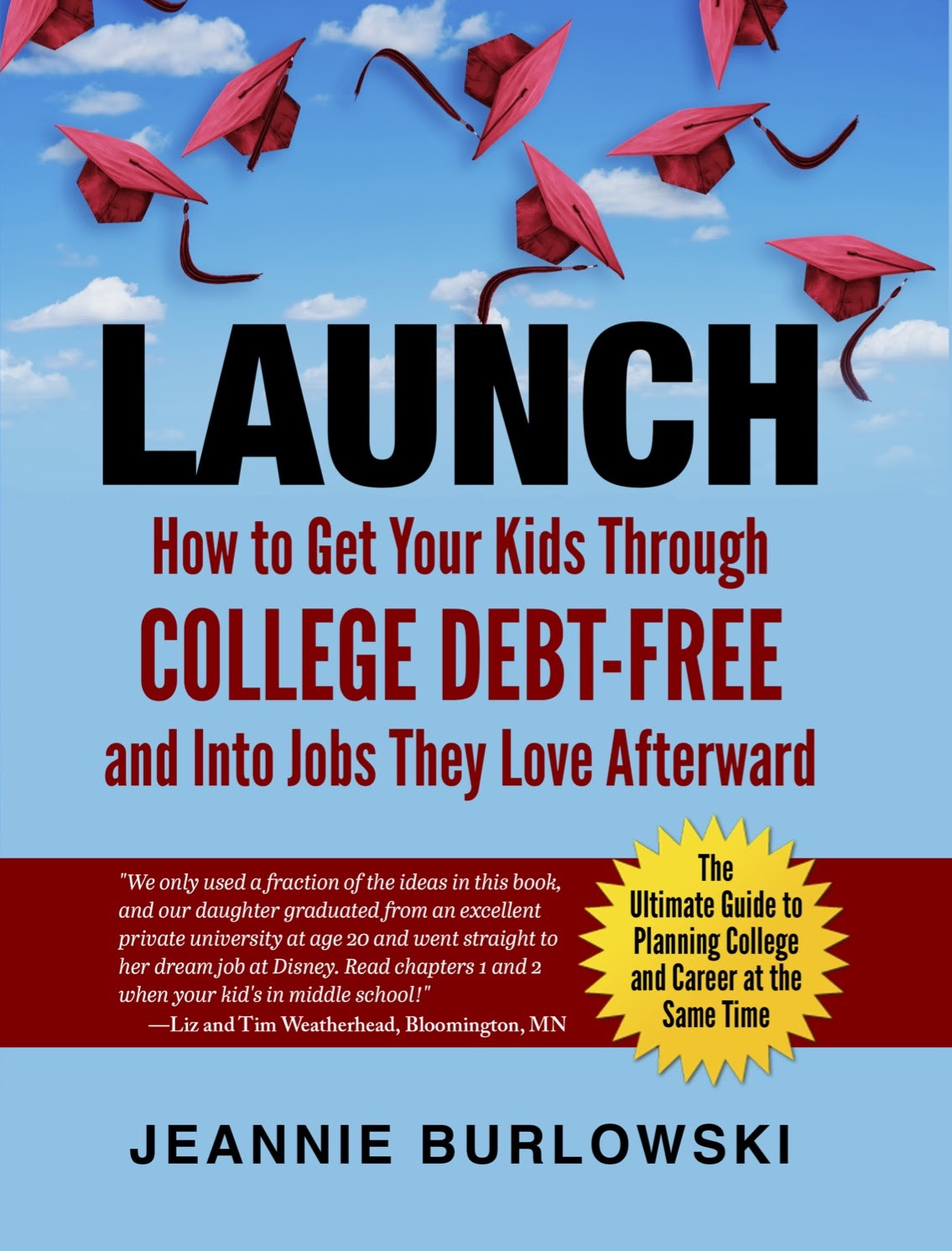
Important—> It’s a reference book, so nobody reads the whole thing cover to cover. Pick out what you need to read using the fast-paced, 10-minute video instructions here.
You can see hundreds of reviews of this book on Amazon by going to:
Read just one chapter of LAUNCH every 1–3 months while your child’s in middle school and high school, and you’ll know every viable strategy for debt-free college at exactly the right time to implement it.
And if your child’s already well past middle school? That’s OK; you can run to catch up. But the process of getting your kids through college debt-free goes more smoothly the earlier you start—especially if you’re not planning to save up any money to pay for college.
Let's you and I walk together toward the goal of debt-free college for your kids.
We can accomplish this no matter your current income level—even if your kids never get a single scholarship.
Your first step is getting regularly scheduled, free helpful articles from me—right in your email inbox. Quick, sign up here.
Do you have very specific questions for me about debt-free college and career for your kids?
My TRIBE Members get the most direct access to me—while feeling good that the pennies per day they spend on the TRIBE help me bring debt-free college strategy to families who could never afford to pay for it. Join my TRIBE Membership waiting list here. (The parent testimonials you'll see there are so encouraging!)
Who is Jeannie Burlowski?
Jeannie is a full-time academic strategist, podcast host, and sought-after speaker for students ages 12–26, their parents, and the professionals who serve them. Her writing, speaking, and podcasting help parents set their kids up to graduate college debt-free, ready to jump directly into careers they excel at and love. Her work has been featured in publications such as The Huffington Post, USA Today, Parents Magazine, and US News & World Report, as well as on CBS News.
Jeannie also helps students apply to law, medical, business, and grad school at her website GetIntoMedSchool.com.
This article was written by a caring human expert. AI tools may have assisted with research or editing.
This page was updated on February 2nd, 2026.